
How to reconcile two files on a key
A step-by-step run through the add-in on a ledger against a bank export — different column names, an invoice reference written two ways, one 45p break, and a row missing from each side. Three steps in one column, and the free tier does all of it up to 1,000 rows a side.
Why matching on a key, and not on row order
A reconciliation done by sorting both files and reading down them fails the moment one side has an extra row, and it fails silently — everything below the extra row is compared against the wrong thing. Matching on a key does not care about order, about column names, or about one file having rows the other has never heard of.
-
Column order and column names do not matter. Map
ReferencetoRefonce and the two files can be in any order at all. -
Keys that differ cosmetically still match.
INV-0012,inv 12andINV12are one invoice. So are the text"1234"and the number1234, and a date written04/03/2026in one file and stored as a real date in the other. - Rounding is not a difference. Set a tolerance — a penny, or a tenth of a percent — and only real breaks are reported.
- Sign conventions are handled. One system books credits negative and the other books them positive; tick sign flip and they agree, and the totals still add up.
Before you start
- Excel on Windows or the web. The manifest permits Mac and iPad too, but neither has been tested yet — see the known limits.
- The add-in installed. It is not yet listed on Microsoft Marketplace; once it is, you install it from inside Excel: Home › Add-ins, search for Two-File Reconciliation, and press Add. Until then, email support@appgarden.co.uk and we will tell you the day it goes live.
-
Both tables in one workbook, one sheet each. Excel's add-in API can only see
the workbook hosting the pane, so a second
.xlsxcannot be read in place. Copy its sheet across — or, if the second file is a CSV, load it straight into the pane; it is parsed on your machine and uploaded nowhere. - Nothing leaves your machine — not a cell, not a column name, not a file name. The matching all happens in Excel. The privacy notice says so in full.
Step 1 — Pick the two tables
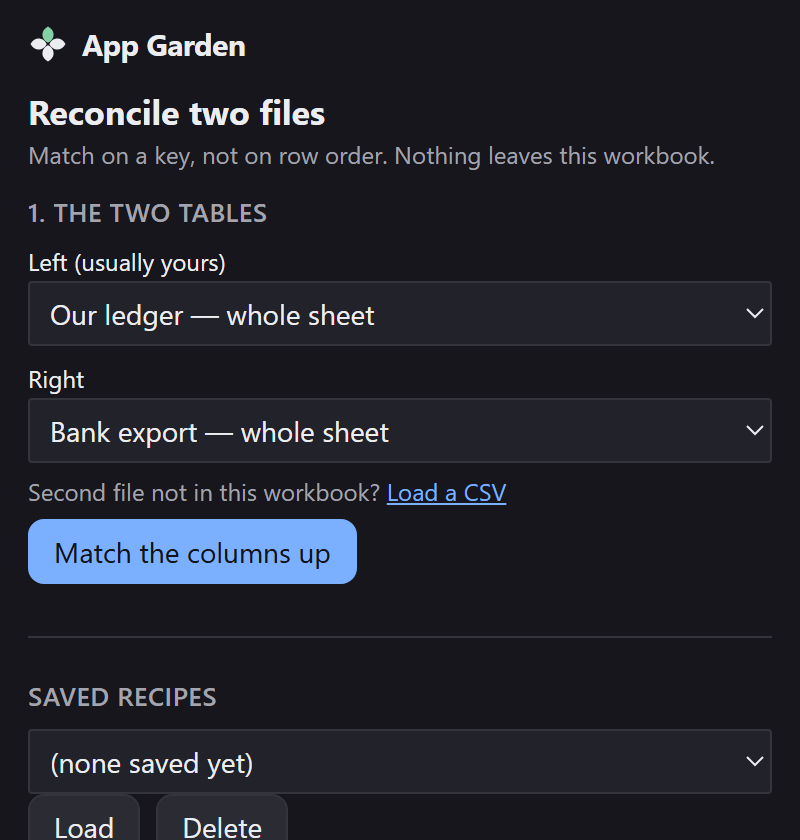
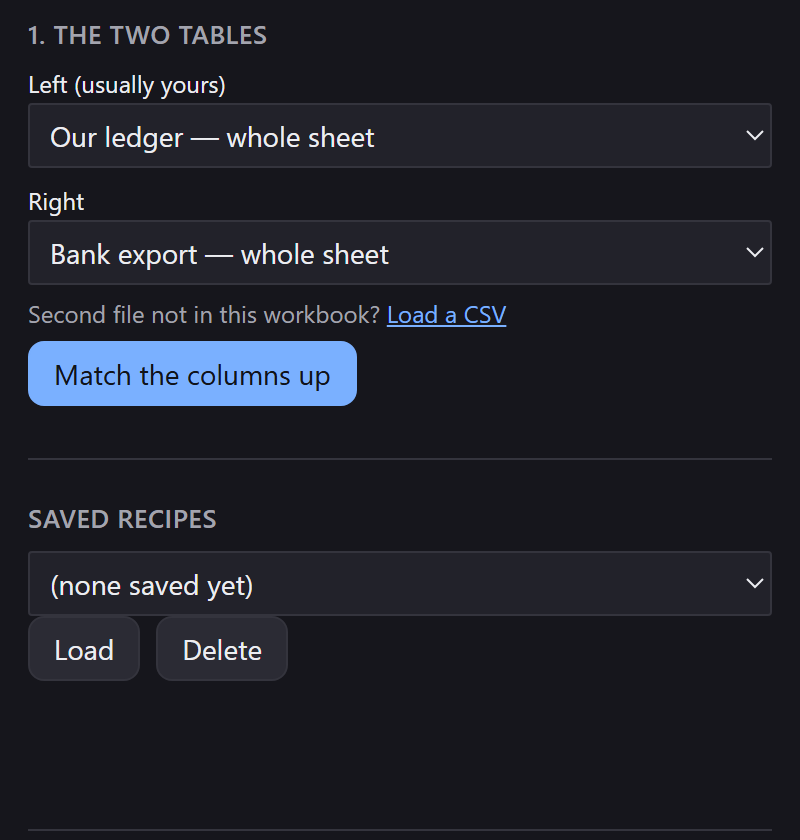
Put both tables in the workbook, then Home › Reconcile two files. Left is usually yours; right is the one you are checking against.
Step 2 — Confirm how the columns line up
Press Match the columns up. The pane proposes a mapping by comparing column names and column contents — and marks every row of it as a guess until you touch it.
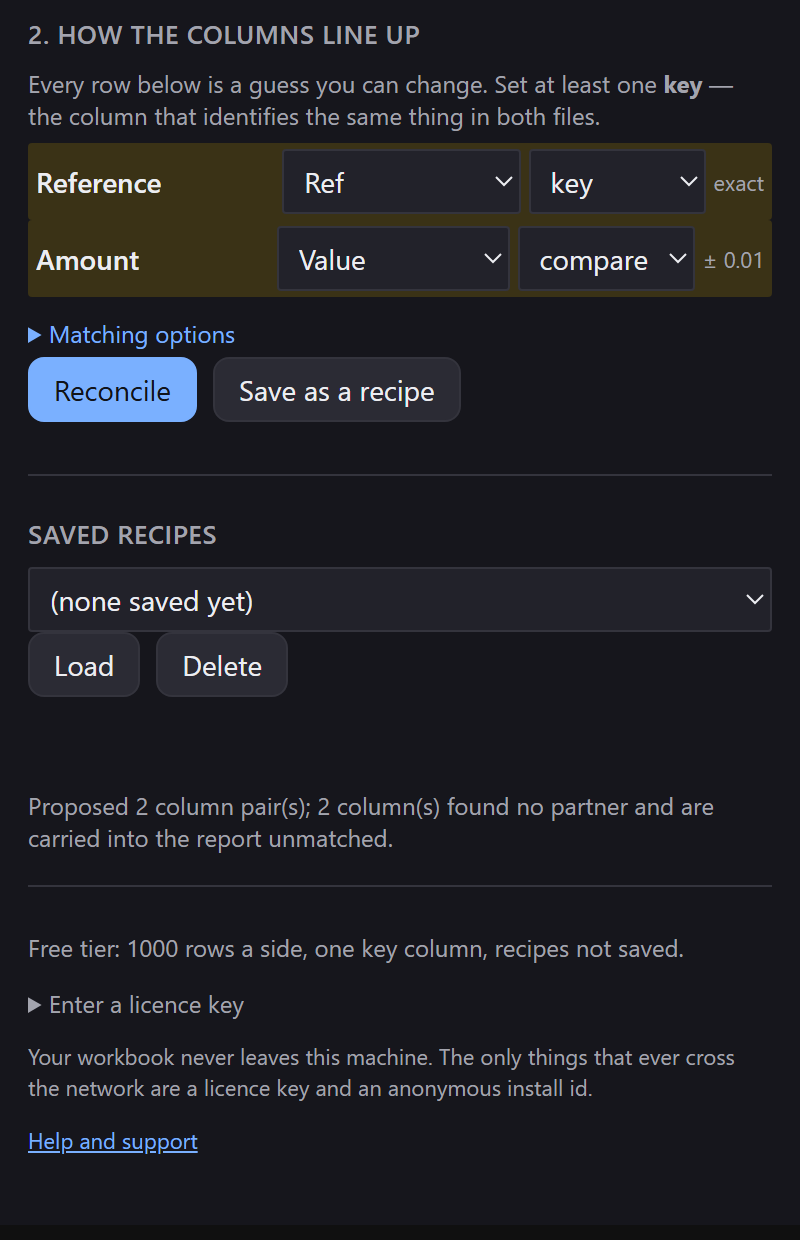
Reference to Ref, Amount to Value — names
that do not resemble each other, matched on what is in them. The amber wash is the pane saying
these are proposals.
Each row of the mapping has a role:
- key — the column that identifies the same thing in both files. At least one is required. Two or more (a composite key) is a paid feature.
- compare — a column whose values should agree, with a tolerance beside it.
- ignore — carried into the report, not used for matching.
The line underneath says what was left over: “2 column(s) found no partner and are carried into the report unmatched”. Nothing is dropped for not having a pair.
Step 3 — Check the matching options
Matching options is where the normalisations live. The defaults are the ones that cannot invent a match: spaces, case, punctuation and leading zeros.
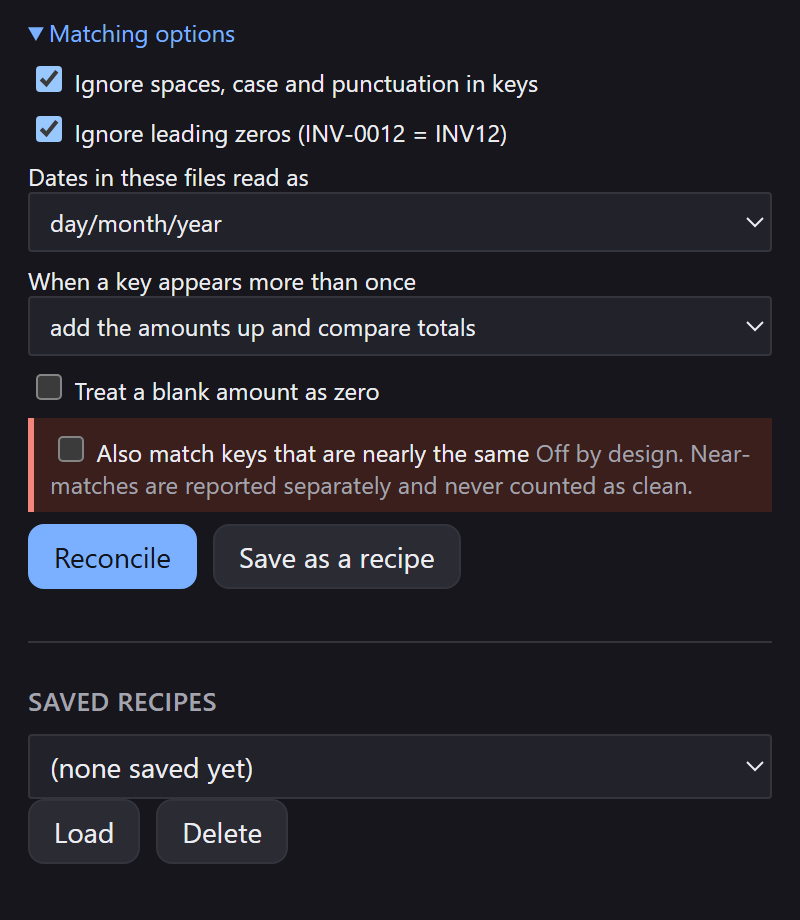
Dates are read under a locale you choose, not one guessed for you.
03/04/2026 is two different days depending on who exported the file, and picking
silently would produce a reconciliation that is wrong in a way nobody can see. Check the setting
matches your files.
Near-matching, and why it is off
The add-in can match keys that are only nearly the same. It has to be switched on deliberately, because a wrong near-match is invisible: it puts a tick against a row that never reconciled. When it is on, those rows are counted separately, never folded into the clean totals, and every one is listed on the Review sheet with both keys quoted so you can check it yourself.
The same rule holds for every other assumption. Rows added together, keys appearing twice, and references Excel has already truncated are all reported rather than absorbed.
Step 4 — Reconcile
Press Reconcile. The result is four buckets and one sentence.
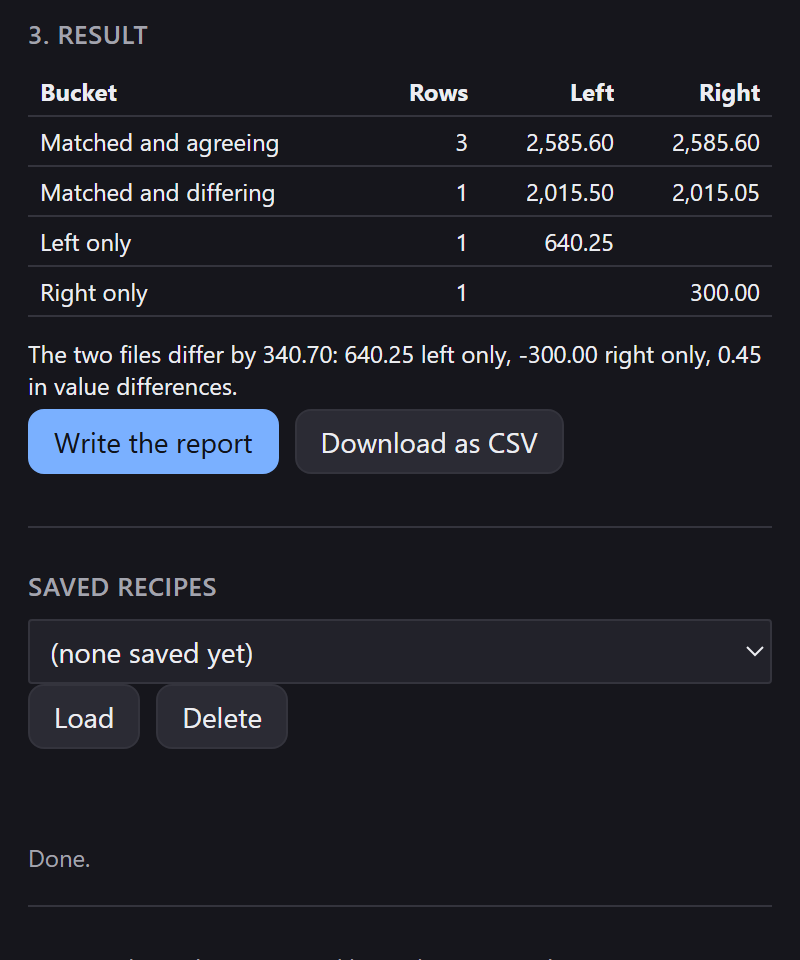
INV-0011 and
INV11 are in the top row together — the same invoice, written two ways.
Step 5 — Write the report
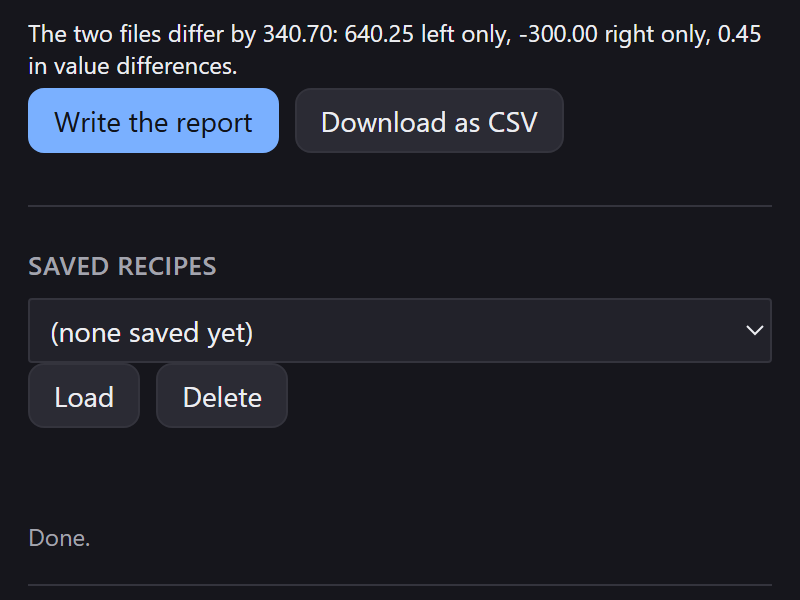
Write the report produces six sheets, written fresh. Your source data is never modified.
- Summary — the four buckets, and the difference split into what explains it.
- Differences — matched rows that disagree, biggest first.
- Left only and Right only — the full source rows.
- Review — anything the run had to assume: near-matches, keys appearing more than once, rows added together.
- Audit — the recipe used, both file names, row counts, the timestamp, the version, and every normalisation step that was switched on. This is the answer to “how did you produce this” when you are not in the room.
Step 6 — Save it as a recipe Pro
Save as a recipe keeps the mapping and every setting, so next month is one click instead of an afternoon. Recipes are stored inside the workbook, so they travel with the file rather than living on one machine.
What the tiers do
The free tier reconciles up to 1,000 rows a side on a single key column — enough to prove it works on your own data, not enough to run a month-end on. Pro lifts the row limit and adds composite keys, near-matching, saved recipes, and the CSV export.
Known limits
-
Both tables must be in the open workbook, or one of them a CSV. Reading a second
.xlsxin place is not possible from inside an add-in today. - References longer than 15 digits were already damaged before the add-in saw them. Excel stores numbers as floating point and truncates them on the way in. The run warns when it finds them; the fix is in the original file, by storing the column as text.
- Splits and merges — one payment settling three invoices with no shared key — are not matched automatically yet. Duplicate keys on one side are handled; a genuine many-to-many split is on the list.
- Mac and iPad are untested. The manifest permits them and Microsoft lists them, but no verification run has happened on either. Please report anything odd.
If something looks wrong
Email support@appgarden.co.uk, and say which platform you are on and what the pane showed. If a reconciliation came out wrong, the two tables are the most useful thing you can send — but only send data you are content to share, and read the privacy notice first.