
Does Google Sheets™ version history keep deleted data? How to share a clean copy
Yes. People with edit access can open File → Version history → See version history and look at earlier versions of the file, including anything you have since deleted.
The mistake
You find a column of phone numbers in a sheet you are about to share. You delete the column and send the link. The sheet looks clean. The earlier version, with the column in it, is one menu away for any editor.
The same goes for deleted tabs, cleared cells and removed rows. Deleting is not the same as removing something from the file's history.
Share a copy instead
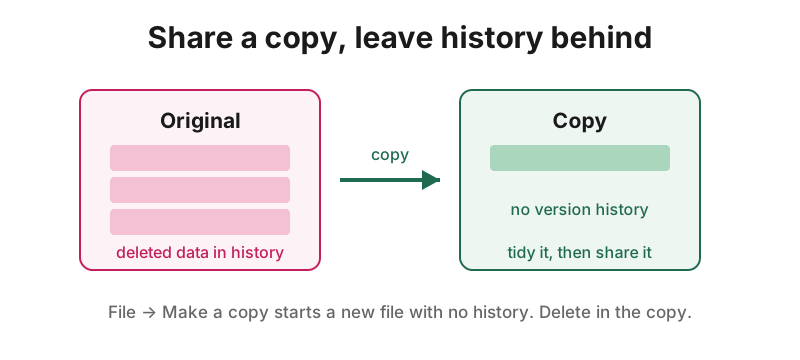
File → Make a copy creates a new file. A copy does not carry the original's version history, so what you deleted before copying is not in it. Tidy the copy, check it, then share the copy.
Two things to remember:
- Delete in the copy, not the original. The original keeps its history either way.
- Hidden tabs, cell notes and named ranges are copied across. A copy keeps them unless you remove them.
If you must change the original
Its history stays. Treat any file that once held sensitive data as one that may still hold it, and limit who can open it.
Check before you share
Personal Data and Sharing Check™ scans a Google Sheets™ file for personal data, including hidden tabs, notes and disguised text, and shows who can already see it. It shows masked samples only, never the full value. Checking is free, and your data stays in your browser.
Install from the Google Workspace Marketplace™
Google, Google Sheets™ and Google Workspace™ are trademarks of Google LLC. App Garden™ is not affiliated with or endorsed by Google. This is data-minimisation and sharing-hygiene guidance, not legal advice.
Google, Google Sheets™ and Google Workspace™ are trademarks of Google LLC. Personal Data and Sharing Check is not affiliated with or endorsed by Google.